
An offline expense tracker that keeps your data on your phone
Most budget apps start by asking for your bank password. Centli starts by asking what you just spent. Every entry is saved on your device the moment you tap Save, with or without a connection, and nothing is uploaded unless you turn on Pro sync. Here is what an offline expense tracker looks like when it is built around a calendar and a cash flow view instead of a bank feed.
Why offline
Privacy, by construction. There is no bank login to hand over, so there is nothing of your bank's inside Centli for anyone to leak. You sign in once with Apple or Google; that is your Centli account, not a bank account, and on the Free plan your entries never leave the phone.
Speed. There is nothing to wait for. Add an expense on the train, in a basement shop or on a plane. It is saved the moment you tap Save, it counts toward the budget right away, and it is on the calendar when you look.
No broken bank connections. Apps that pull from your bank break when the bank changes its login page, then ask you to reconnect. Centli has nothing to reconnect. The by-hand part is the point: here is why typing it in yourself works.
What you get
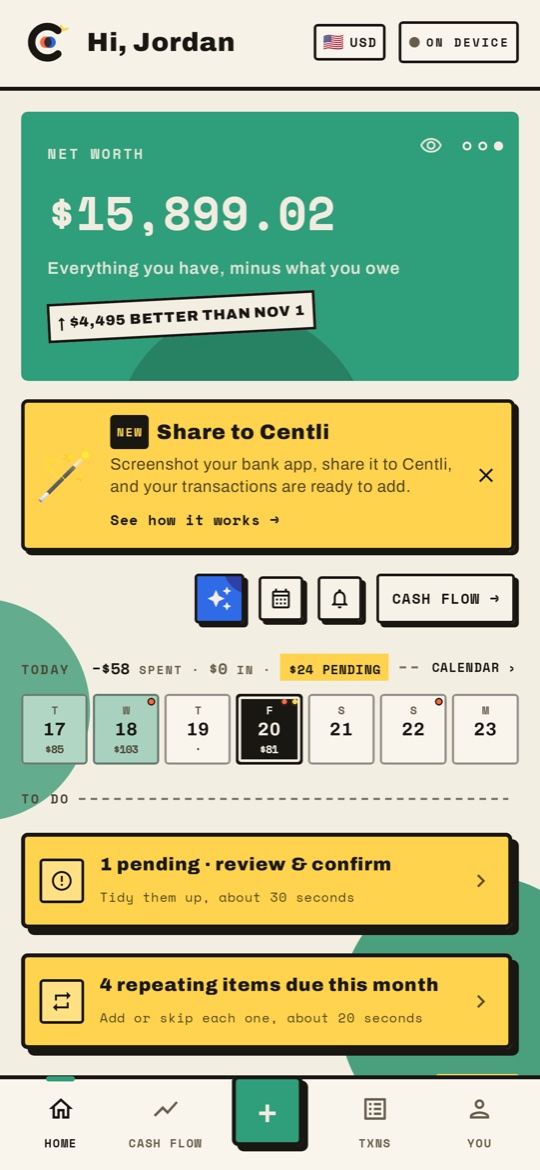
- A money calendar. Each day shows what you spent, what came in and what is due. Tap a day to see the entries. "Can I cover this day?" runs the numbers you have entered. More on the calendar.
- Cash flow. Spent and earned by month, week or day, what is left after the bills you have added, the lowest point of the month, a six-month line, and a "Can I afford it?" sheet for the thing you are eyeing.
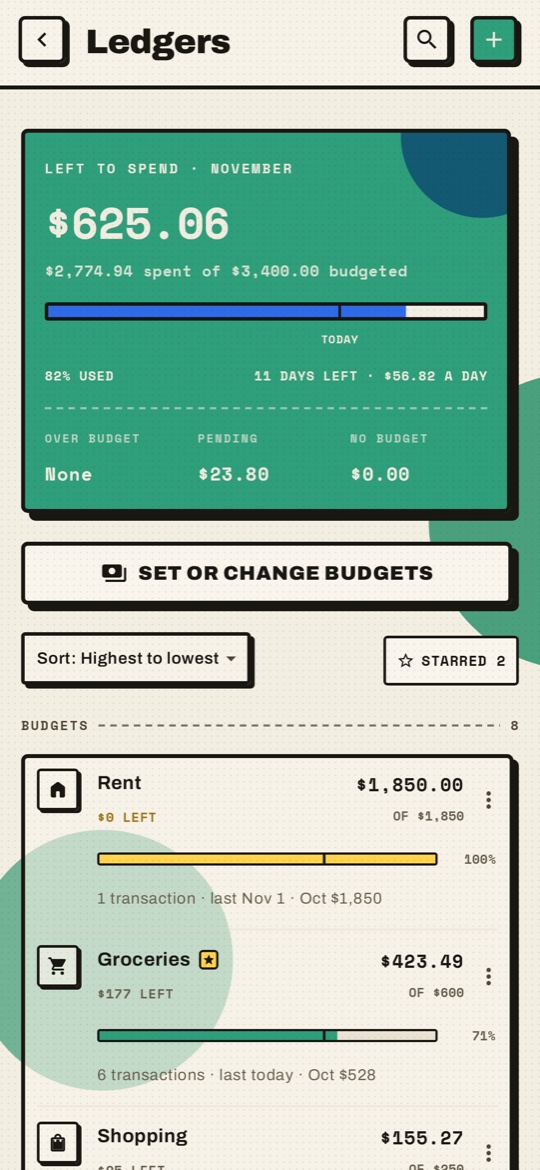
- Budgets per ledger. Ledgers are your categories. Give any of them a monthly budget and Centli gives you a heads-up at 80% and again at 100%. A one-tap Set budgets screen gets you started.
- Loans. A loan ledger tracks what you owe and goes down with each payment you log.
- Accounts. Cash, checking, savings, credit and investment, transfers between them, and your net worth on the Home screen.
- Repeating bills, on your terms. Centli keeps the rule (nine frequencies, from daily to yearly) and each month you add that month's entries in one tap, so nothing lands in your books without you seeing it.
- The small things. Pending entries you confirm when they clear, quick-add shortcuts for the things you buy every week, search with filters, PDF reports, an app lock with biometrics or a PIN, light and dark themes, and any currency.
When you do want help catching up
Weeks happen. With Centli Pro, share a screenshot of your banking app (up to 10 pictures) or a PDF statement (up to 3) from your phone's share sheet, and Centli's AI prepares the transactions for you to review and add. It spots duplicates, checks the balance against what you already have, and the whole import can be undone in one tap. Pro also adds Centli's AI chat (50 credits a month), cloud backup with live sync across your devices, and PDF reports without the watermark. The Free plan stays free, with unlimited entries and no ads.
Questions people ask
Does it sync?
On Free, no. Your entries live on the phone, which is the whole idea. Pro backs them up to your own Centli account and keeps every device you are signed in on in step.
Does it work on iPad and tablets?
Yes. Centli has an iPad layout, a tablet layout on Android, and two-page layouts for Android foldables and iPhone Duo. To see the same entries on your phone and your tablet you need Pro, because that is what sync is.
What happens if I lose my phone?
On Free, the entries were only on that phone, so if you want a record, export a PDF report now and then. With Pro, sign in on the new phone and your backup comes down.
Do I need an account?
You sign in once with Apple or Google. It is how Pro finds your backup later, and it is not a bank login. Centli never asks for one.
Your money, on your phone, in your own hand.
Free, works offline, no bank login. It starts with one entry.